A customer sees your van, picks up your flyer, visits your premises or receives one of your business cards.
They are interested-but contacting you still requires them to search for your business, type in a web address or remember to call later.
That is often where the opportunity is lost.
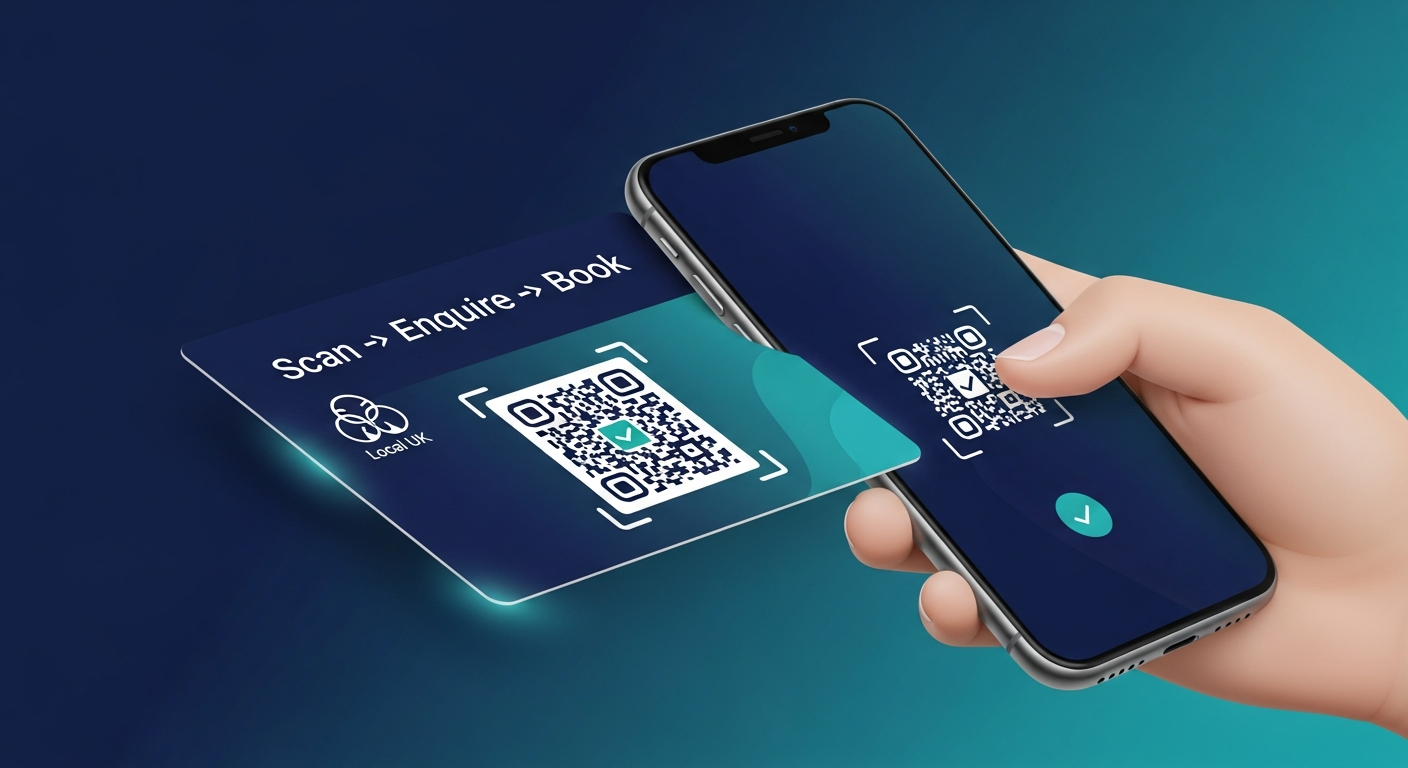
A QR code gives potential customers an immediate next step. With one scan, they can visit your website, request a quote, book an appointment, message you on WhatsApp or leave a Google review.
For tradespeople and local businesses, this can turn everyday marketing materials into simple customer-capture tools.
What Is a Business QR Code?
A QR code is a scannable image that takes someone directly to a chosen online destination.
You can create a QR code that opens:
- Your business website
- A quotation form
- Your booking calendar
- A WhatsApp conversation
- Your Google review page
- An online menu
- A special offer
- A digital price list
- Your contact details
- A course or event registration page
Instead of asking customers to search for the right page, the QR code takes them there immediately.
The Problem: People Notice Your Business but Take No Action
Local businesses spend money getting noticed through signs, vehicles, flyers, business cards, menus and printed advertising.
However, being noticed does not always result in an enquiry.
Someone may see your van while you are working nearby and think about contacting you later. By the time they need the service, they may have forgotten your business name or chosen the first competitor they find online.
The QR Code Solution
Add a QR code to your vehicle, signage or printed materials that takes people directly to your website or quotation form.
Place a clear instruction beside it, such as:
- Scan to request a quote
- Scan to view our services
- Scan to book an appointment
- Scan to message us
- Scan to claim this offer
The Outcome
Potential customers can take action while your business is still fresh in their minds.
You are no longer relying on them to remember your name and search for you later.
The Problem: Happy Customers Forget to Leave Reviews
Many customers are happy with the service they received and fully intend to leave a review.
The problem is that they get busy, forget or cannot quickly find the correct Google Business Profile.
The more steps involved, the less likely they are to complete the review.
The QR Code Solution
Create a QR code that sends customers directly to your Google review page.
You can place it on:
- Receipts
- Invoices
- Review cards
- Thank-you cards
- Packaging
- Appointment cards
- Tables or counters
- Follow-up messages
A simple message such as "Happy with our service? Scan to leave a review" gives customers a clear and convenient next step.
The Outcome
Leaving a review becomes quicker and easier, helping your business build stronger trust with future customers.
The Problem: Customers Cannot Find the Right Booking or Contact Page
Customers often abandon an enquiry because they cannot immediately find the information they need.
They may land on your homepage but struggle to locate your booking calendar, phone number, WhatsApp link or quotation form.
Every unnecessary click creates another opportunity for them to leave.
The QR Code Solution
Link the QR code directly to the action you want the customer to take.
For example:
- Link appointment cards to your booking calendar
- Link a work van to your quotation form
- Link a shop window to your opening hours
- Link a restaurant table to your menu
- Link an invoice to your review page
- Link a leaflet to a special offer
The Outcome
Customers reach the correct page immediately, making it easier to enquire, book or contact your business.
The Problem: Printed Information Quickly Becomes Outdated
Menus, price lists, service brochures and promotional leaflets can become outdated whenever you change your prices, opening hours, services or offers.
Repeatedly designing and printing new materials costs time and money.
Old versions may also continue circulating, creating confusion for customers.
The QR Code Solution
Link the QR code to a live webpage containing your current information.
The printed QR code can remain the same while the content on the webpage is updated.
For example, a restaurant can update its online menu, a salon can amend its treatment prices and a training provider can add new course dates without replacing every printed card or leaflet.
The Outcome
Customers receive more accurate information while your business reduces unnecessary reprinting.
How Tradespeople Can Use QR Codes
QR codes are particularly useful for tradespeople because much of their advertising is seen offline.
Plumbers and Heating Engineers
Add a QR code to your van, boiler service stickers or leaflets that links to an emergency contact page or quotation form.
Electricians
Send customers directly to information about electrical work, inspections, certification or booking availability.
Builders and Property Contractors
Link site boards, brochures and business cards to project galleries, customer reviews and quote request forms.
Roofers
Use flyers and vehicle graphics to direct homeowners to a roof inspection or quotation page.
Landscapers and Gardeners
Send potential customers to before-and-after photographs, seasonal services and booking enquiries.
Cleaners and Mobile Valeters
Add a QR code to customer cards, vehicles and invoices to encourage repeat bookings and reviews.
The aim is not simply to send people to a generic homepage. The code should connect them to the most relevant next step.
How Other Local Businesses Can Use QR Codes
QR codes can support almost any business that interacts with customers offline.
Restaurants, Cafés and Takeaways
Link tables, windows and packaging to menus, online ordering, table bookings or special offers.
Salons, Barbers and Beauty Businesses
Connect appointment cards, mirrors and shop windows directly to an online booking calendar.
Shops and Retail Businesses
Link product displays, receipts and packaging to offers, product information or customer loyalty sign-ups.
Tutors and Training Providers
Send parents, learners and employers to course information, registration forms and available training dates.
Estate Agents
Add QR codes to property boards and brochures that open the relevant listing, viewing form or virtual tour.
Professional Services
Accountants, consultants and other service providers can link business cards and networking materials to consultation booking pages.
Businesses throughout Oldham, Manchester, Rochdale, Bury, Bolton, Stockport, Tameside and the wider North West can use QR codes to connect offline attention with online action.
Where Should You Display Your QR Code?
A QR code can be placed almost anywhere a customer is likely to notice it:
- Business cards
- Flyers and leaflets
- Shop windows
- Entrance doors
- Work vans
- Company vehicles
- Receipts
- Invoices
- Menus
- Table displays
- Appointment cards
- Product packaging
- Posters
- Event stands
- Property boards
- Customer review cards
Make sure the code is large enough to scan and is not placed on a surface that is difficult to see or reach.
How to Make Your QR Code More Effective
Creating the code is only the first step. The destination and the message surrounding it are equally important.
Give It One Clear Purpose
Avoid sending every QR code to your homepage.
Decide what you want the customer to do and link directly to that action.
Explain What Happens After the Scan
A QR code without an instruction can easily be ignored.
Use a clear call to action, such as "Scan to book", "Scan for a free quote" or "Scan to view our menu."
Make Sure the Destination Works on Mobile
Most people will scan the code using a mobile phone.
The page must load quickly, display correctly and make the next action easy to complete.
Test Before Printing
Scan the QR code using more than one mobile device before adding it to vehicles, signs or large quantities of printed material.
Check that it opens the correct page and that the destination link is secure and working.
A QR Code Is Only the Beginning
A QR code can help someone reach your business, but what happens after they scan it determines whether they take the next step.
If the destination page is slow, outdated or confusing, the potential customer may still leave without contacting you.
An effective customer journey should:
- Clearly explain what your business offers
- Build trust through reviews and examples
- Make calling, booking or enquiring simple
- Work properly on mobile devices
- Respond quickly when an enquiry is submitted
- Follow up when a customer does not book immediately
This is where a QR code becomes more than a convenient link. It becomes part of a wider system for capturing and converting customer interest.
Create Your Free Business QR Code
Level Up North has created a free QR code generator to help local businesses, tradespeople and service providers connect their offline marketing with a clear online action.
Choose where you want customers to go, generate your code and add it to your business cards, flyers, vehicles, menus, receipts or shop window.
Is Your Website Ready for More Visitors?
Getting customers to scan is only the first step.
Your website must then build trust, explain your services and make it easy for visitors to request a quote, book or contact you.
Level Up North creates smart websites and customer-capture systems designed to help local businesses:
- Generate more enquiries
- Respond to customers faster
- Recover missed calls
- Automate follow-up
- Generate more reviews
- Track opportunities in one place
Frequently Asked Questions
Are QR codes useful for small businesses?
Yes. QR codes can give customers a quicker route to your website, booking page, menu, quotation form, WhatsApp or Google review page.
Can I put a QR code on my work van?
Yes. Tradespeople can place QR codes on vans and other company vehicles. Make the code clearly visible and tell people what they will receive after scanning it.
How do I make a QR code for Google reviews?
Obtain the direct review link for your Google Business Profile and enter it into a QR code generator. Test the code before sharing or printing it.
Can I put a QR code on a business card?
Yes. A business card QR code can direct customers to your website, contact page, portfolio, booking calendar or digital business card.
Can a QR code generate more enquiries?
A QR code can reduce the number of steps customers need to take before contacting you. Results will still depend on the strength of your offer, destination page and overall customer journey.
Do I need a different QR code for every campaign?
Using different destination links or trackable links for separate flyers, vehicles and promotions can help you understand which materials are attracting attention.